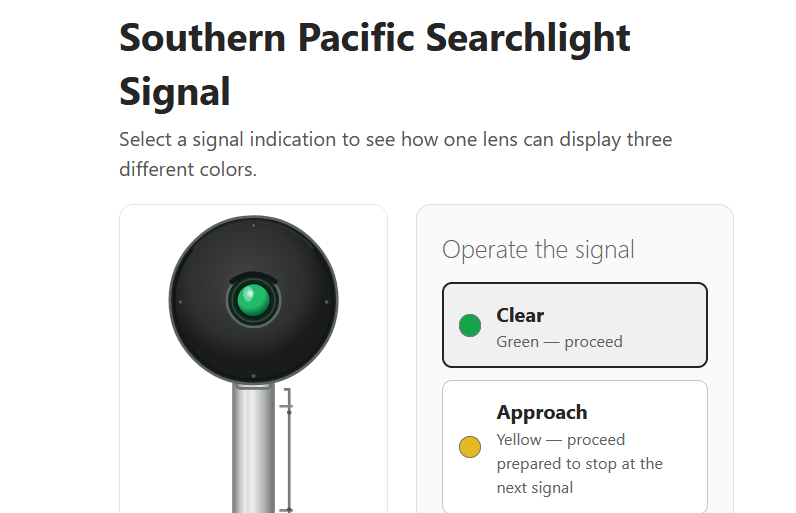
We are working on developing some interactive signal demonstrations for our website and other uses that show how some of the signals visible on our railroad work and if they were in service, what their indications would mean. This is our first example, and we would love some feedback.
Here is an example of a Southern Pacific Railroad search light signal. The one we based our simulator off of happened to be near Davis, CA, but an example is still standing on the east end of our Farwell Bridge. You can see it here in the photo of our Western Pacific Railroad locomotive #713 passing by it:
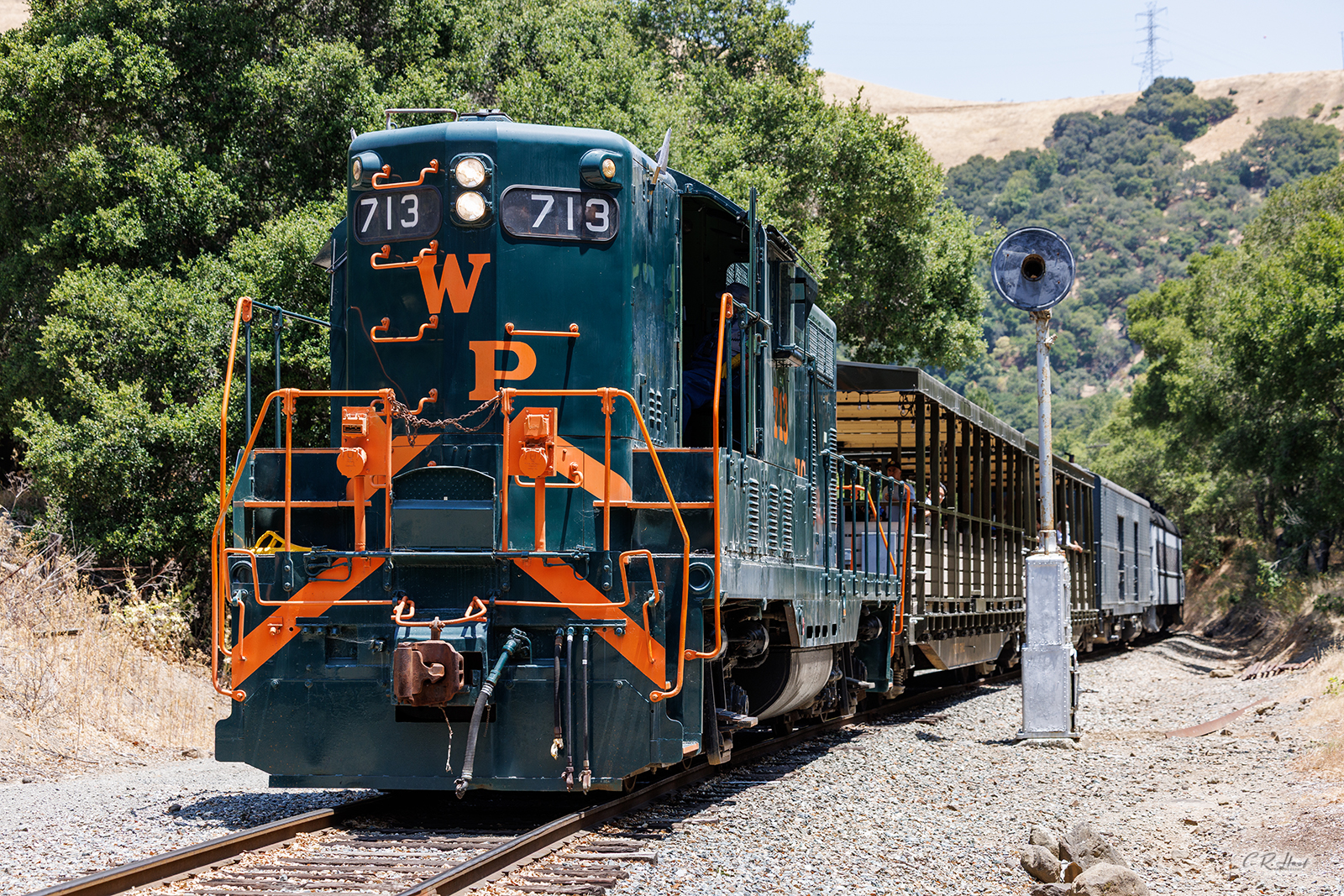
Image by Christopher Hauf – Used with permission
Curious how that signal would look, work, and what it would mean for an engineer seeing it as he or she exited Farwell Bridge heading east on our railroad back to Sunol, please give our demo below a try!
Southern Pacific Searchlight Signal
Select a signal indication to see how one lens can display three different colors.
Operate the signal
Green: Proceed.
The drawing is based on the distinctive proportions of an SP searchlight installation photographed near Davis, California. The original photo shows signal number 768. The signal colors and broad meanings here are simplified for education; actual instructions depend on the applicable operating rules and signal arrangement.
Reference photograph: Southern Pacific-style signal photographed by Eric Haas. Illustration is an independent SVG interpretation, not a reproduction of the photograph.
What did you think? Did it work ok for you? What else should we try to add where we would move these over to our Just for Fun section. Use our Contact page to drop us an email. The General info setting will get to us. Thanks!